


Staying connected in Canada as a student, newcomer, or traveler shouldn’t be complicated. That’s why the PhoneBox App was designed to give you full control of your mobile plan, all in one simple, easy-to-use platform.
With the PhoneBox App, you can track your data usage, manage payments, set up your auto-payment, and set your termination day, ensuring your mobile service always fits your lifestyle and plans.
In this complete guide, we’ll walk you through everything you need to know to get started and make the most of your PhoneBox experience.
Why Use the PhoneBox Canada App?
The PhoneBox App puts your entire mobile plan right in your pocket. Instead of worrying about renewals, data limits, or payment dates, you can manage everything in just a few taps.
With the app, you can:
- Track your data usage in real time
- Manage and update your payment methods
- Add or remove auto-payment
- Set up your termination day in advance
- Monitor your plan details anytime, anywhere
Whether you’re studying, traveling, or working in Canada, the PhoneBox App helps you stay connected with total peace of mind. Unlike many data-only eSIM apps, PhoneBox also gives you a real Canadian phone number and full control over your mobile service.
Getting Started with the PhoneBox App
Step 1: Download the PhoneBox App
Getting started is easy. Simply download the PhoneBox App on your smartphone:
Once the app is installed, open it to begin.
Step 2: Sign In — No Sign-Up Needed
After you purchase your PhoneBox plan, your account is automatically created; no sign-up required.
Simply sign in using the login credentials sent to your email after purchase.
Your email will include:
- Your login email
- Your temporary password
*Can’t find the email?
First, check your Spam folder, as automated emails sometimes end up there.
If you still can’t find it, just tap “Forgot Password” in the app, enter your email address, and set a new password in seconds.
Step 3: Check Your Dashboard
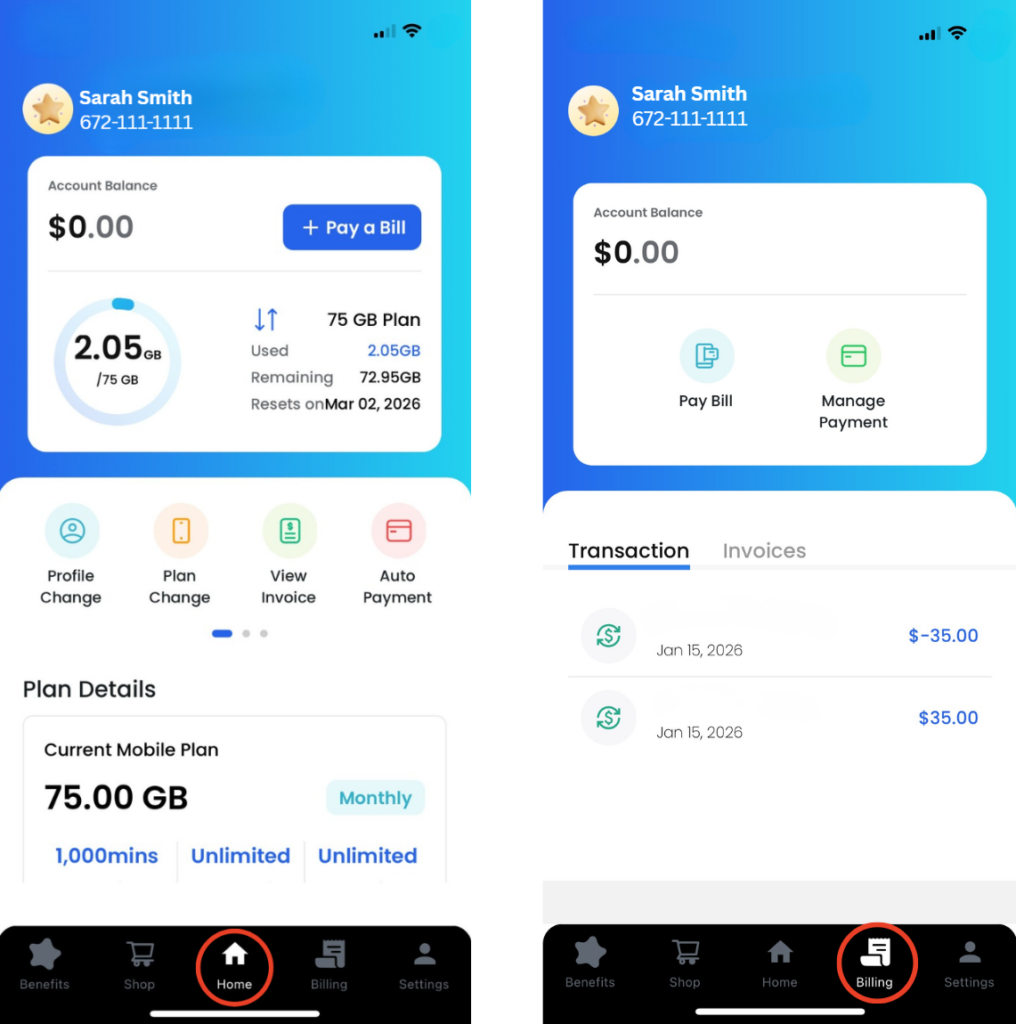
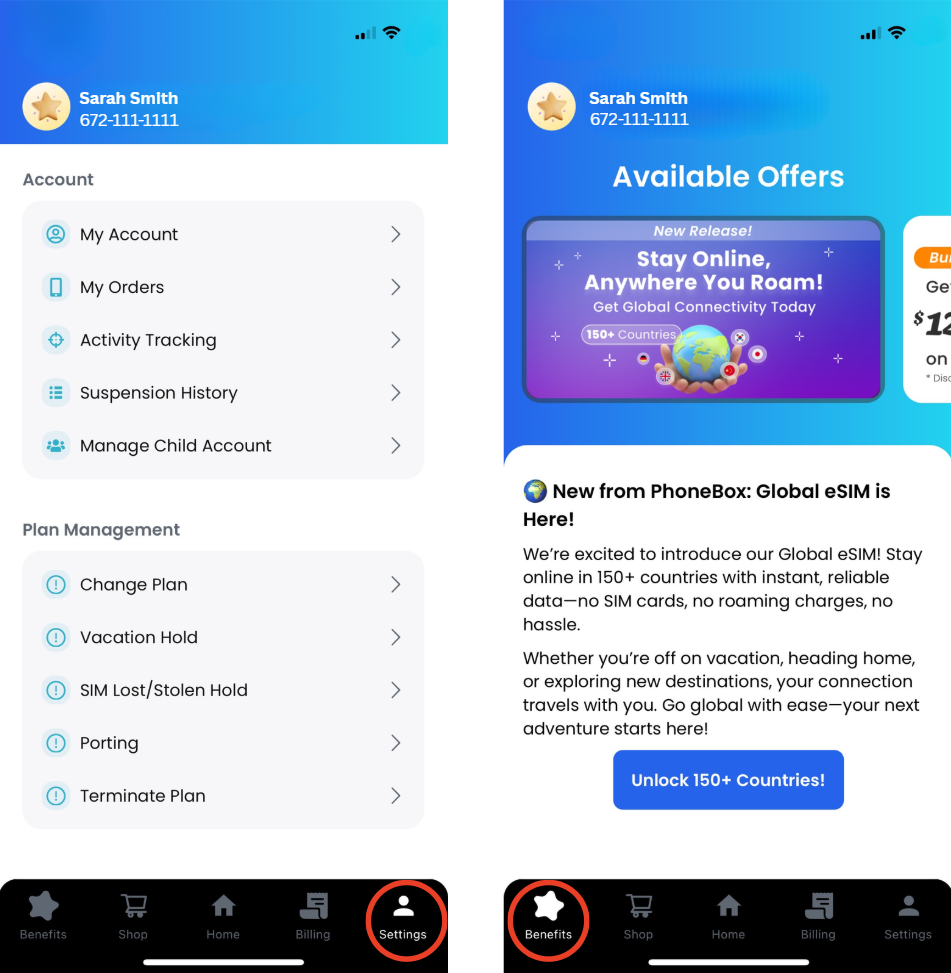
Once logged in, you’ll land on your PhoneBox dashboard, your personal control center for managing your mobile plan in Canada.
From here, you can:
- View your plan details
- Monitor your data usage in real time
- Manage payments
- Adjust your account settings
- Enjoy our benefits
Everything is designed to be simple, clear, and easy to use, even if it’s your first time managing a mobile plan abroad.
Two Features We Always Recommend
Two features we always recommend, and that can make a big difference, are:
- Add auto- payment fro worry- free renewals
- Setting your termination day in advance
These tools help you avoid unnecessary charges, prevent service interruptions, and stay fully in control of your plan throughout your stay in Canada.
How to Set Up Auto-Payment (Never Miss a Renewal)
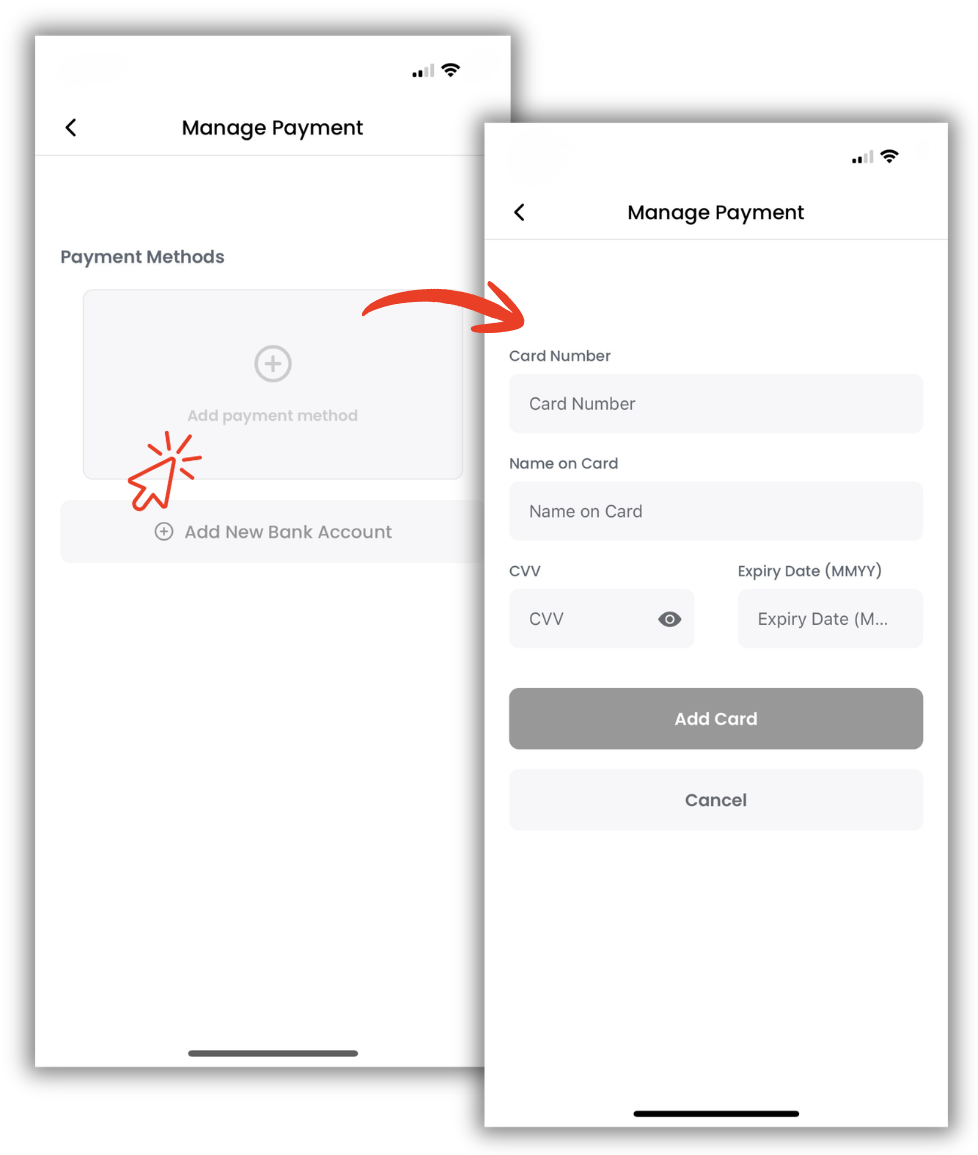
Setting up auto-payment ensures your plan renews automatically every 30 days, so you’ll never lose service due to a missed payment.
When making your payment, simply check the Auto-Payment box, add your card, enter your card information, and confirm. That’s it!
Benefits of Auto-Payment:
- No manual payments
- No service interruptions
- No forgotten renewal dates
- Total peace of mind
You can enable or disable auto-payment at any time directly in the app.
How to Set Your Termination Day
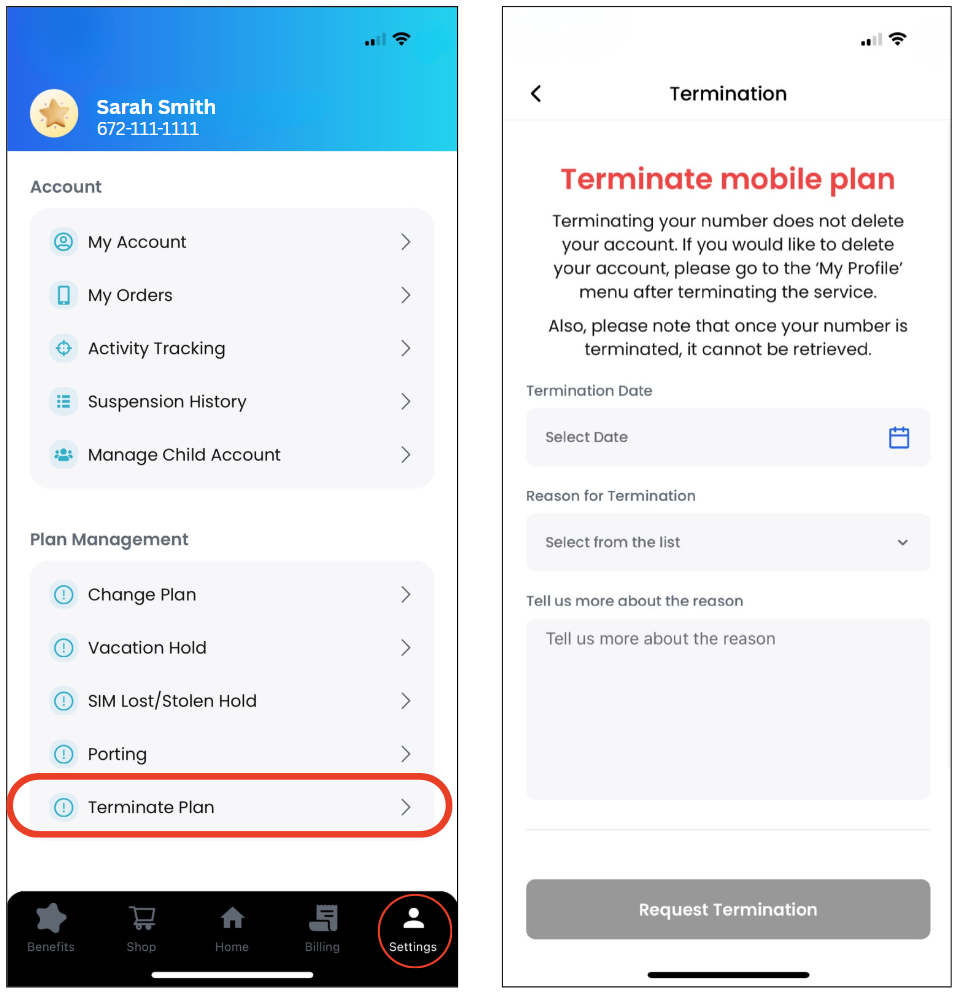
If you already know when you’ll be leaving Canada or no longer need your mobile plan, setting your termination day in advance is highly recommended.
This feature allows your plan to automatically end on your chosen date, helping you avoid extra charges, forgotten cancellations, and last-minute reminders.
This is especially useful for:
- International students
- Exchange students
- Working holiday travelers
- Short-term visitors
Steps:
1.Log in to the app
2.Go to My Plan
3.Termination Day
4.Choose your date
5.Confirm
Once confirmed, your plan will stop automatically on that day, simple, stress-free, and fully in your control.
Why Students Love the PhoneBox App
Students choose PhoneBox because it’s flexible, affordable, and easy to manage. The app gives full control over mobile service, allowing students to focus on studying, traveling, and enjoying their experience in Canada.
From tracking data to managing payments and scheduling termination dates, everything is designed to be simple, transparent, and stress-free.
Need help with the app, your plan, or your account? Our friendly support team is available through multiple channels to make sure you always get fast and reliable assistance.
From live chat to email and WhatsApp, you can choose the easiest way to contact us.
For more details, check out our guide on.